For surf brands & businesses
Leave your mark.
Your team’s sessions, your boards and your films, kept in one place and shared right where surfers are already looking. Put your name in lineups all over the world.
- 0%SurfVault’s cut when customers pay you
- Your logoOn full-size previews, on paid plans
- 15 GBFree to start
01. Your brand vault
Your whole brand, in one place.
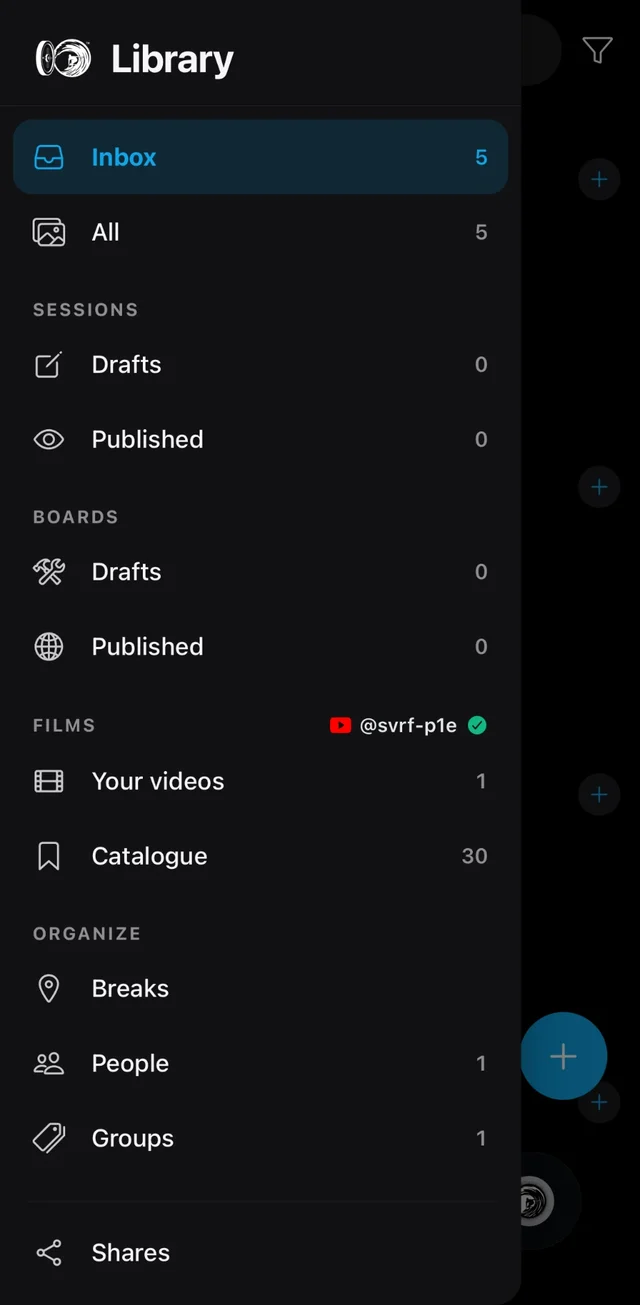
Every photo, clip and edit your brand makes, stored together instead of scattered across drives and apps. Keep it all private until you're ready, then publish what tells your story.
- Store and organize everything, originals and RAW included, sorted by session, board and break
- Team sessions show your gear in real surf
- Boards get their own pages, if you make them
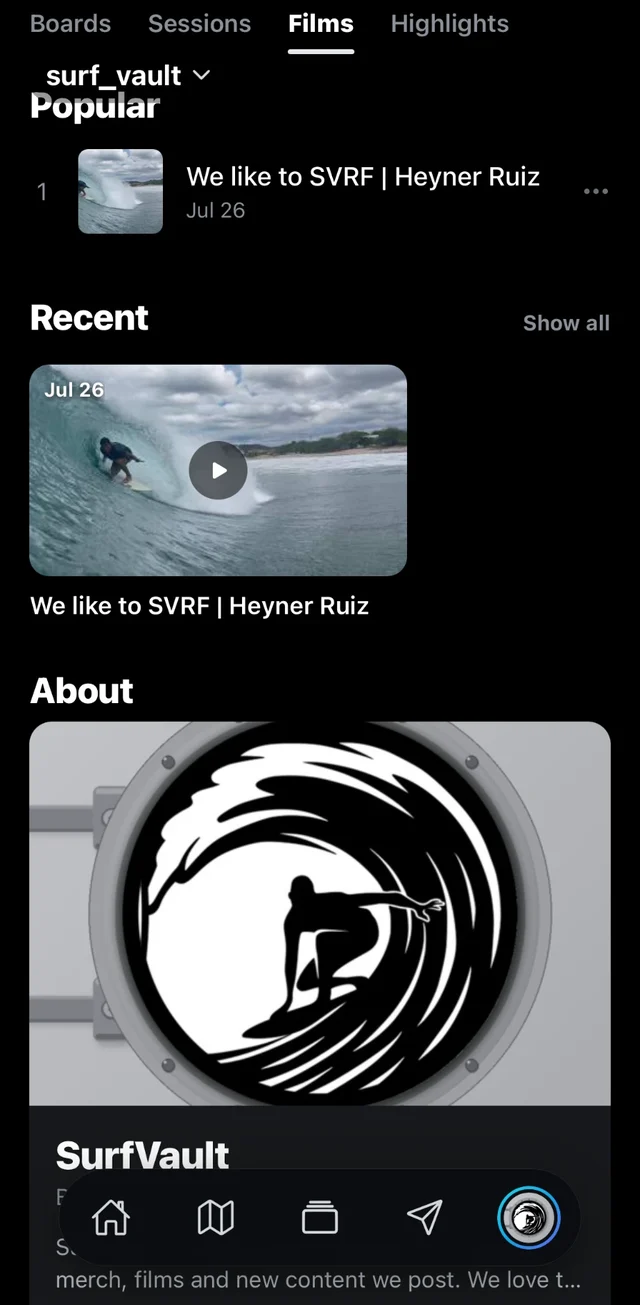
- Films link to the sessions in them and to everyone involved, from riders and shapers to filmers and photographers
02. Team sessions
Show off your team.
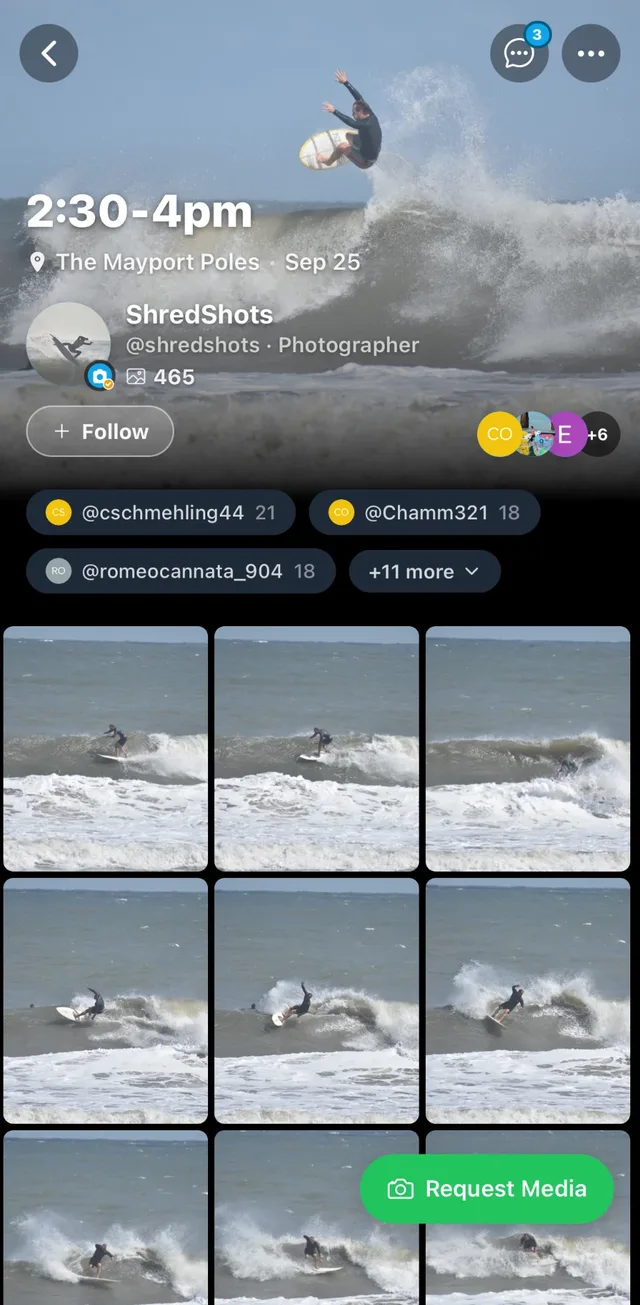
Your riders are your best marketing. Show them on your gear in real surf, at the breaks where surfers are already deciding what to ride and wear.
- Real riders, real waves, real breaks: proof your gear performs, not a studio shot.
- Tag your riders and the session shows up on their profiles too, in front of their followers as well as yours.
- A photographer caught your team out there? Request the shots and keep them in your vault.
- Every session stays filed by break and date, so your team’s history is easy to find years later.
03. Boards
Show what you make.
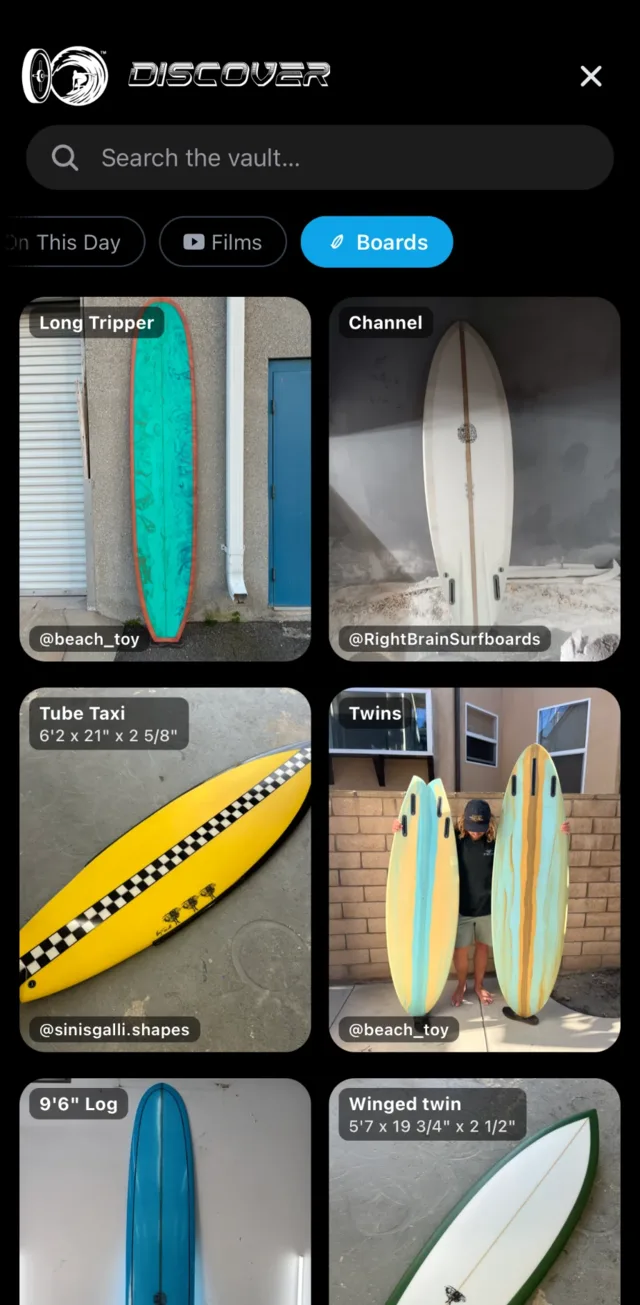
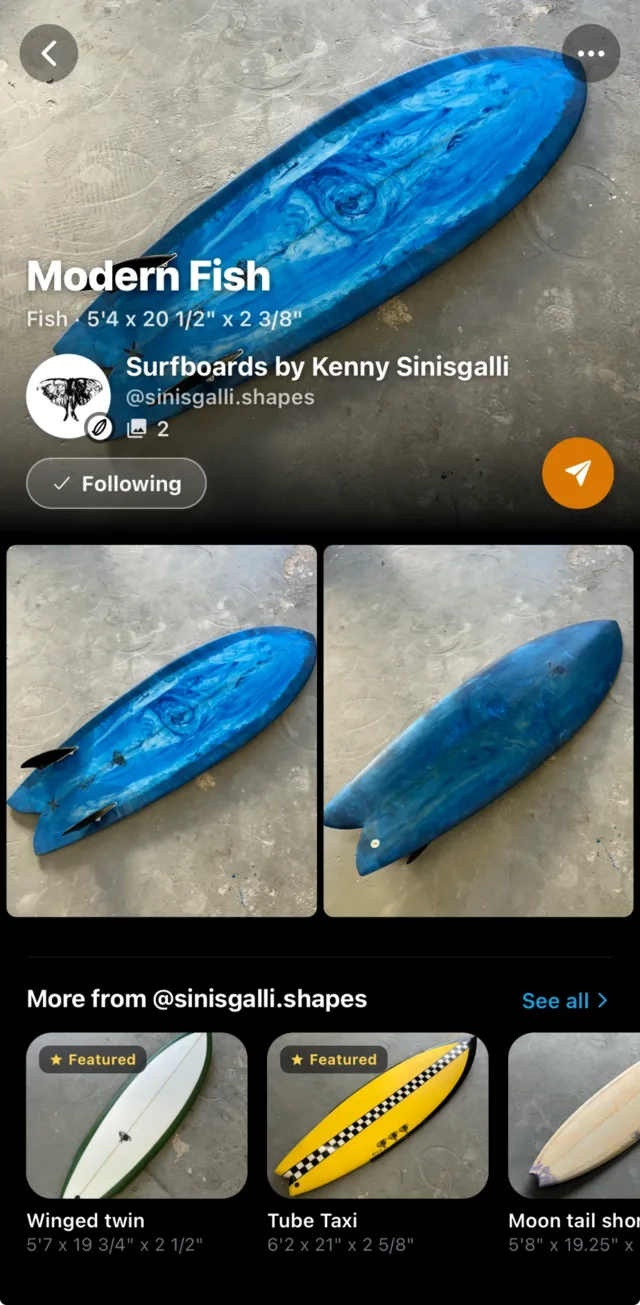
Making boards? Give every model its own page, so surfers can see exactly what they’d be riding before they ask about it.
- Specs up front: board type, dimensions, photos and video on every board page.
- Add clips and photos of your team riding each model to its gallery, not just shots on the rack.
- When a surf film features your boards, get tagged in it and it lands on your profile, so a great edit sends surfers your way.
- Surfers message you about any board in a tap, and in the app you can see how many views each one gets.
04. Films
Put your name on the film.
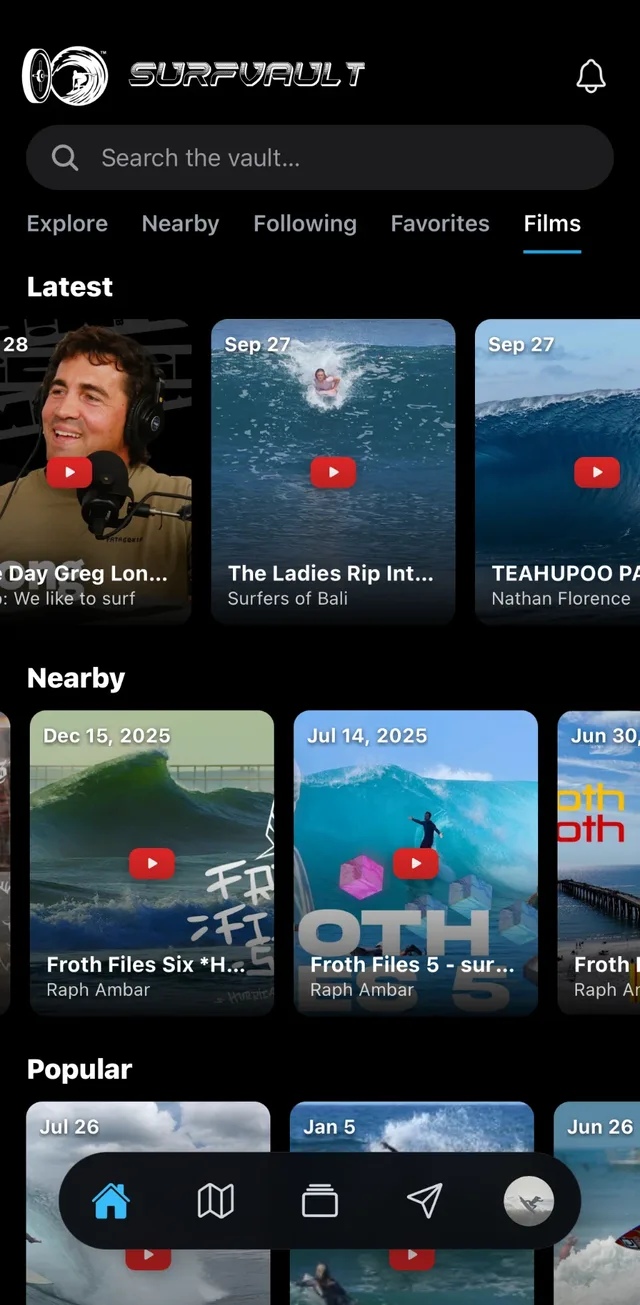
Team edits, trip films, a new board launch: put each one where surfers go looking for films, connected to everything in it.
- Add your films from YouTube. They play straight from your channel, so the views still land there.
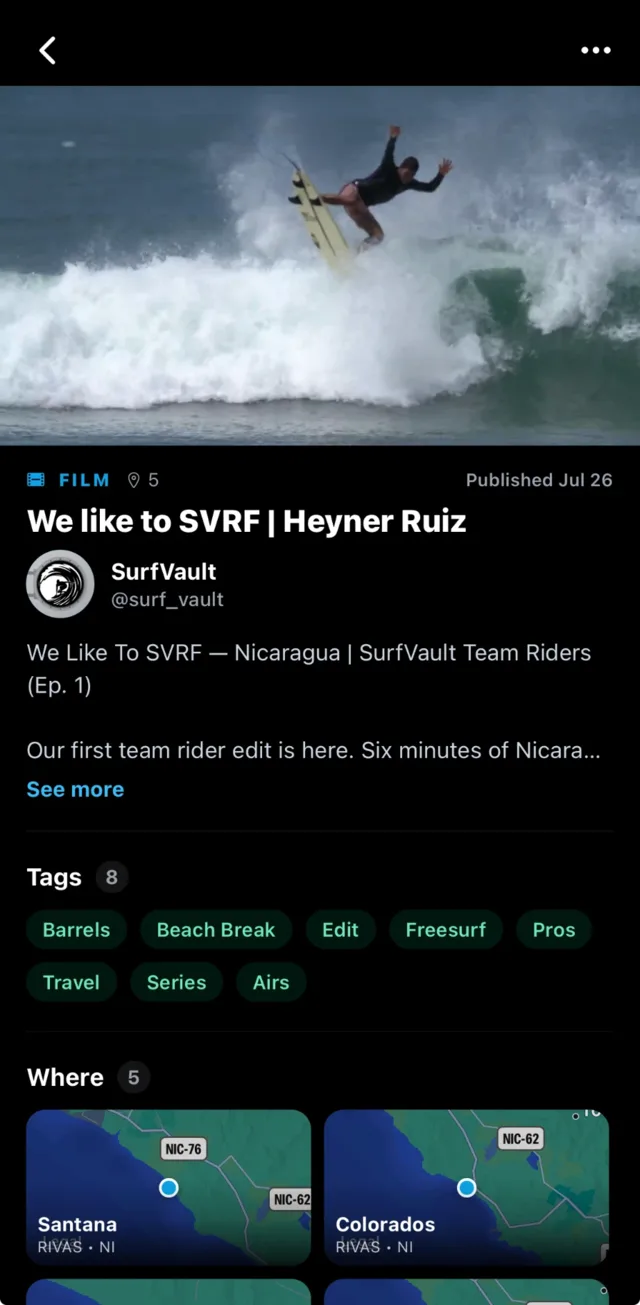
- Credit everything in it: tag your riders and the shaper behind their boards, and link the sessions and breaks it was shot at.
- Surfers find it by what’s latest, nearby or popular, or by style like barrels, airs or travel.
- In someone else’s film? Get credited as the brand behind it and it shows up on your profile’s Films tab.
And the rest
Everything else your brand needs.
One profile for the whole brand
Sessions, boards and films side by side, plus a Highlights tab with your best photos and clips. Your profile only shows what you post.
Every post reaches people
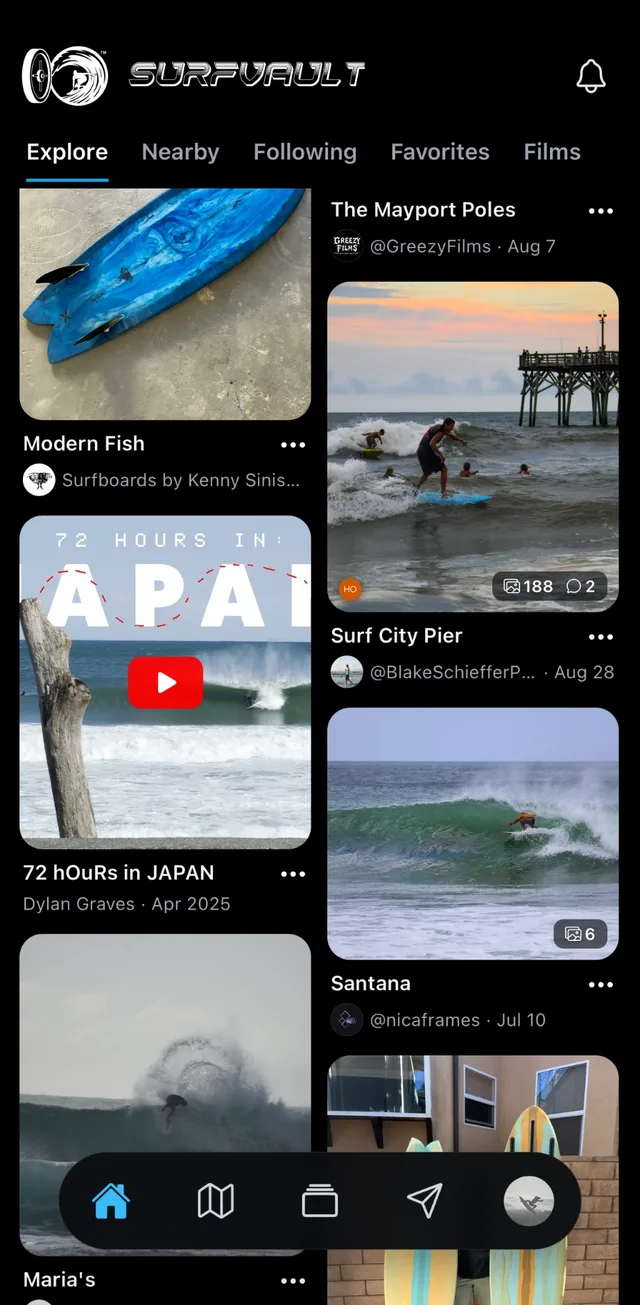
New sessions and boards reach your followers, and sessions reach everyone who favorites that break too.
Share links, paid direct
Send private share links, and let customers pay you through the Venmo, PayPal, Zelle or Cash App on your profile. SurfVault takes 0% and never touches the money.
See what’s working
In the app, your sessions and boards show how many views they get, so you know what surfers are into.
Spotlight
Great team content travels.
We’re always digging through the vault for great sessions, boards and films to share with the world. Yours could end up on our page, well beyond your home lineup (we’ll always ask first).
Free to start, 15 GB included. Paid plans from $4.99/mo when you need more room.
See all plansEverything you upload stays private until you publish or share it. How your photos stay yours
FAQ
Frequently asked questions
Can we switch from a surfer or shaper account?
Yes. Any account can switch to Brand anytime in Settings, so a surfer starting a label or a shaper whose boards took off keeps their followers and everything they’ve posted.
Do we have to make boards?
No. Post whatever fits your brand: team sessions, boards, films, or any mix. Your profile only shows what you actually post.
Can we tag our team riders?
Yes. Tag your riders in every session and they get notified, so the shots reach their followers as well as yours.
Can our brand get credit on a film?
Yes. Post your own films, or get tagged as a brand on films you’re part of. They show up on your profile’s Films tab.
Can I pay to promote my brand on SurfVault?
No. There are no ads, credits or sponsored placements. Your posts reach your followers and the surfers at those breaks, the same as every account.
Can I put my own logo on my photos?
Yes, on any paid plan. Your logo replaces the free SurfVault watermark on your previews. Try the styles or see plans.
How do customers pay us?
Directly, through the payment links on your profile (Venmo, PayPal, Zelle, Cash App or another). SurfVault doesn’t process payments and takes 0%.
What does it cost?
It’s free to start with 15 GB of storage. Paid plans start at $4.99/mo when you need more room. You pay for storage, never a cut of your sales.
Leave your mark on every lineup.
Free to start. Upgrade only when you need more room.