Your photos

How your photos stay yours.

From the second you upload to the day you delete, here's exactly what happens to your work, who can see what, and what we will never do with it.

The journey

From your camera to the lineup.

Five steps, and you decide every one that involves someone else.

  1. 01

    You upload

    Your files travel from your device straight to our private storage over an encrypted connection. We keep the original exactly as it arrives: same file, same format, same camera data. RAW stays RAW.

  2. 02

    We store it privately, with a backup

    Originals live in private storage on Amazon Web Services in the US, encrypted at rest (AES-256), with no public access. A second copy is kept automatically in a separate region, so a disaster in one place can't take your work with it.

  3. 03

    It stays private until you publish

    Uploads land in your Library Inbox. Drafts and unfiled photos are seen by no one but you, and nothing is made for anyone else to see until you publish.

  4. 04

    Published, so surfers can find themselves

    When you publish, we make smaller display copies with camera data and GPS location removed. Feeds and grids show clean images up to 1600 pixels wide, because a surfer needs to see the wave clearly to know it's them. Open one full screen and it carries your watermark.

  5. 05

    Originals only go where you send them

    The full-resolution original goes out only when you say so: you approve a request, send a share link (with an expiry or a download code if you like), or switch on auto-grant.

Who sees what

Three versions of every photo.

Clean to find, watermarked to view, and the original stays yours.

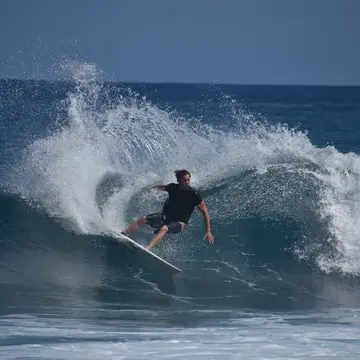
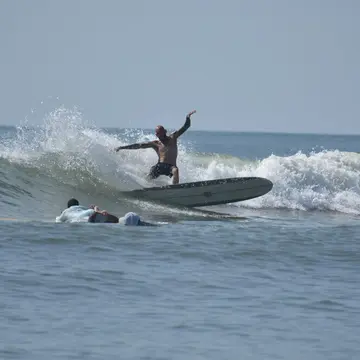
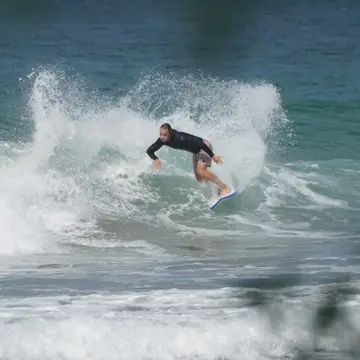
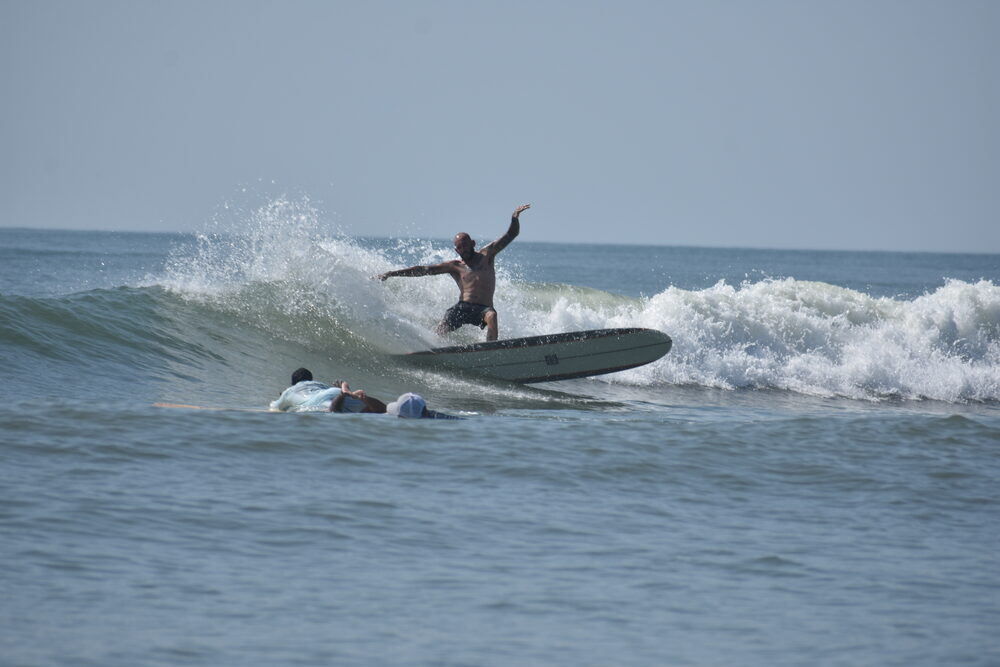
A surfer on a wave, the sample photo shown three ways
Clean

In feeds and grids

Up to 1600px wide, no watermark

Anyone browsing

A clear look at the wave is how surfers know it's them. Camera data and GPS location are removed.

Watermarked

Full screen

Larger view with your watermark

Anyone browsing

Open a photo full screen and it carries your mark: the SurfVault watermark by default, or your own logo on a paid plan.

See the watermark styles 
Original

Your original

Full resolution, exactly as uploaded

Only you, plus people you approve

It never goes out until you approve a request, send a share link or switch on auto-grant.

Turn your watermark off and the full-screen view shows clean too. Drafts have none of these: nobody but you sees them until you publish or share.

Sharing

Public sessions vs private share links.

Two ways to get your work to people. Publish to be found, or send a link to deliver.

Public session

Best for getting found by the surfers in it

  • Shows on its break page, the map, Explore and nearby feeds
  • Your followers and the surfers who favorite that break get notified (you can switch that off when you publish)
  • Clean feed images, a watermarked full-screen view
  • Surfers tap Request to ask for the originals, and you decide
  • Hide the location to keep a spot secret: the session leaves break pages and the map, and opens only by its link
Private share link

Best for delivering a set to a client, or anyone you choose

  • Never on your profile, in feeds or in search, and nobody gets notified
  • Share a whole session or just the shots you pick, drafts included. Sharing doesn't publish anything
  • Recipients don't need an account to view or download the originals
  • Optional expiry and an optional 6-digit download code
  • Turn it off anytime

Photographers, shapers and brands can send private share links.

How a share link works

  1. 1

    Pick what to share

    From your Library or a session, on the web or in the app. A whole session, or up to 500 photos and videos you pick.

  2. 2

    Choose how it goes

    Get a link to send anywhere, or send to a user to deliver it to one SurfVault account as a message, with no link to forward.

  3. 3

    Set the options

    Expiry: never, 7, 30 or 90 days. A 6-digit download code: five wrong tries lock the link for 15 minutes. And for a client who has already paid, you can show the photos without your watermark.

  4. 4

    They view and download

    They see a clean grid and your watermarked full-screen view, then download the originals one at a time or as a zip. With a free account they can save the set to their own SurfVault, credited to you and counted against their storage.

  5. 5

    You stay in control

    In Library → Shares, turn a link off or back on, change its expiry, add or change the code, or switch the watermark. Shares also shows when someone saves your link to their SurfVault.

Our promises

What we will and won't do.

You own your work

Uploading lets us store and show your work on SurfVault, nothing more. We never sell it or license it to anyone.

No AI on your photos

Your photos and videos are never sent to an AI service, or to any outside company other than our storage provider, Amazon Web Services.

We ask before going off-platform

Published work from public profiles can appear, credited to you, in the app and on surf-vault.com. We'll always ask before using it in ads or on social media.

Your watermark, on by default

Every account gets the free SurfVault watermark on full-size views. Pick a style, use your own logo on a paid plan, or turn it off. See the styles.

You get paid direct

If you charge for your shots, surfers pay you through your own payment app. SurfVault never touches the money and takes 0%. How it works.

Storage counts originals only

Only your original files count toward your plan. Previews, thumbnails and watermarked copies are on us.

Deleting

Delete without worry. Then it's gone.

Deletes wait in your Trash, so a misclick never costs you a shot. Once it's emptied there's no archive and no copy kept for ourselves. Here's the timeline.

  1. Right awayA deleted photo or video moves to your Trash. It comes off your profile, feeds and shares, only you can see it, and you can restore it to where it was.
  2. After 7, 30 or 90 daysYour Trash deletes it for good on the schedule you pick in Settings: 30 days unless you change it, or Never. Empty Trash any time to do it sooner and free up the space.
  3. Up to 90 days laterOur storage keeps a permanently deleted original for up to 30 days as protection against accidents, and the copy in our disaster-recovery backup is removed within 90 days.
  4. Closing your accountYou get a 30-day grace period to change your mind. After that, all of your work, Trash included, is deleted for good.

FAQ

Photo questions

Can surfers download my photos without paying?

Not your originals. Anyone can browse the feed images and the watermarked full-screen view, but the full-resolution original needs your approval. If you charge, they pay you directly.

Do you compress my originals?

No. We store the original file exactly as it arrives. The smaller display copies are made separately and never replace it.

Why aren't feed images watermarked?

So surfers can tell it's them. A clear look at the wave is how people find their shots and come to you for the original. Feed images top out at 1600 pixels wide, have camera data and location removed, and the full-screen view carries your mark.

Where is my work stored?

On Amazon Web Services: originals in a private, encrypted bucket in Virginia, with a backup copy in Oregon.

Who at SurfVault can see my photos?

A small number of staff can access accounts to give support and keep the service running, and every access is logged. We never use your work for anything else.

Your work, your rules.

Upload, choose who sees what, and get paid direct.